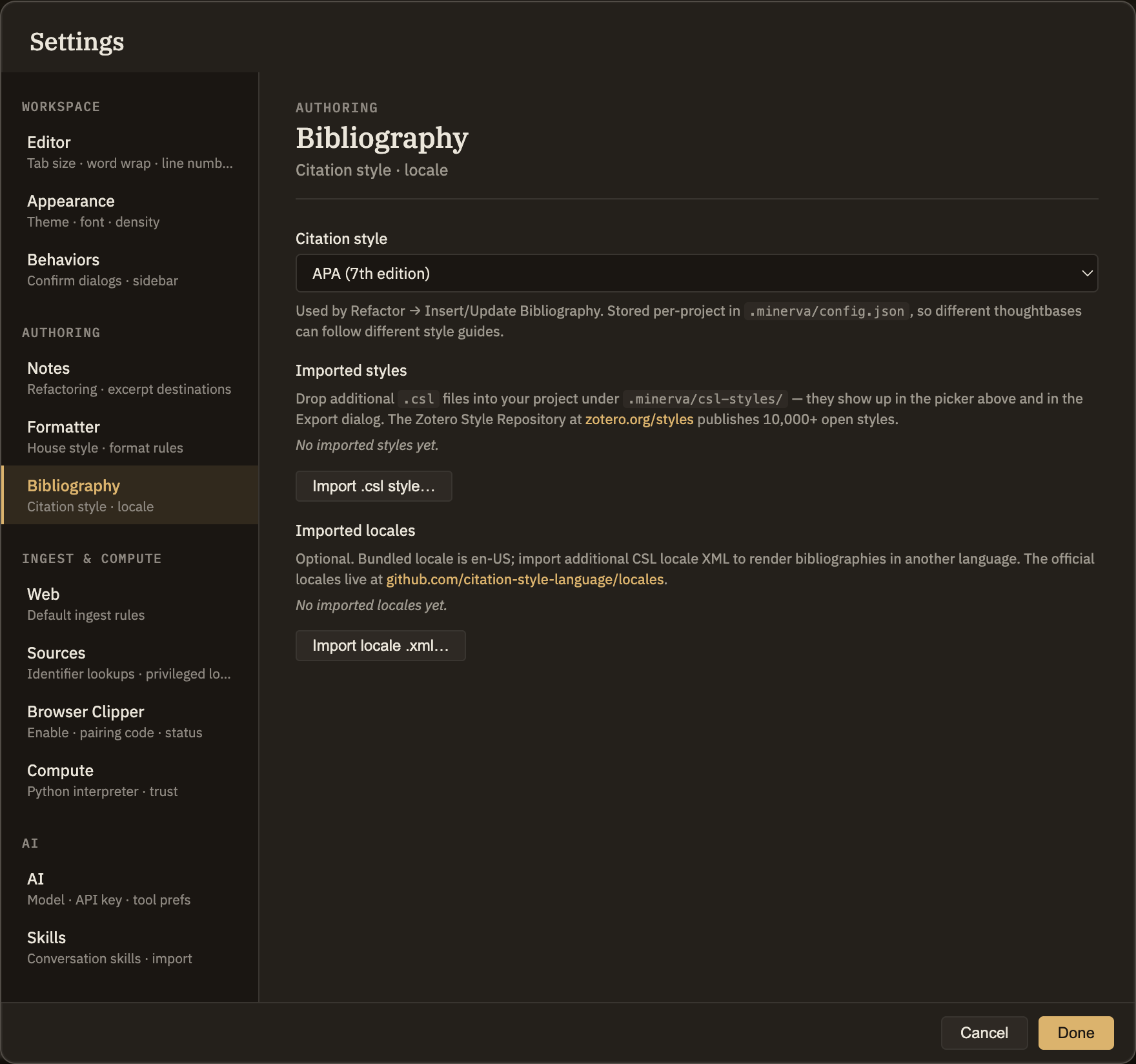
The Bibliography tab in Settings is where you choose the citation style Minerva uses when it builds a reference list for a note — APA, MLA, Chicago, and a few others come ready to use, and you can add more if you need them. The style you pick here is used whenever you run Refactor → Insert/Update Bibliography. Adding sources to cite is a separate step, covered in Left sidebar → Sources.
What you can set
Citation style
Pick the style your references are written in. APA is the default, and you can also choose MLA, Chicago (author–date), Chicago (notes & bibliography), IEEE, or Vancouver — plus any style you've added yourself. Each project keeps its own choice, so different collections of notes can follow different style guides.
Add a style
Need a style that isn't in the list? Use Import style… to add one, and it appears in the Citation style menu right away. Styles you've added are listed here, each with a Remove button.
Add a language
By default, references are written using English wording — the small words citation styles add, like "and", "ed.", or "no date". If you want your references written in another language, use Import language… to add it. Added languages are listed here, each with a Remove button.
Screenshot — the Bibliography settings
This tab formats your references — it doesn't create them
Choosing a style here doesn't add a citation to a note. You cite a source or quote a saved excerpt using a link in your note, then run Refactor → Insert/Update Bibliography to gather those citations into a tidy References section written in the style you picked here. You can run it again any time you add more citations — it simply refreshes the same References section and leaves the rest of your writing untouched.