Properties
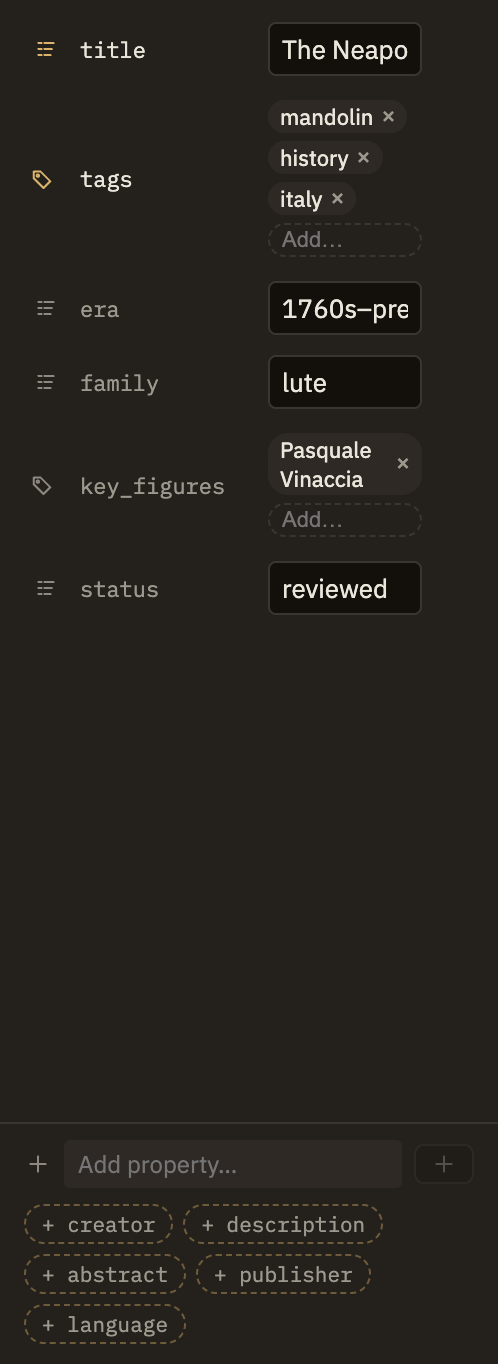
Properties are a small block of structured details at the top of a note — its title, tags, author, dates, and anything else you want to record about it. You can edit them right in the note text or through the Properties panel in the right sidebar, and the two always stay in step.
The properties block
Properties live at the very top of a note, between a pair of --- lines. Each line inside is a simple name: value pair. Everything after the closing --- is the note itself.
---
title: The Attention Schema
tags: [neuroscience, consciousness]
created: 2024-03-01
---

The body of the note starts here.
The opening --- has to be the first thing in the note, with nothing above it. If a property is mistyped — a stray quote, a crooked indent — the Properties panel points out what needs fixing, and the note still opens and works normally in the meantime.
Properties Minerva knows
You can name a property anything you like, but Minerva gives special meaning to a handful of common ones. If you spell one a natural way — author instead of creator, say — Minerva understands it and tidies it to its standard name for you.
titletags#tags you write in the body, so it's one combined set either way.aliases[[wiki links]]. See Links.creator, description, publisher, languageabout[[wiki link]].created, modified, issuedYYYY-MM-DD. Handy for when a note was made or when its source was published.That's the common set; you're free to add your own properties alongside them, and Minerva will also add properties on its own when its research and thinking tools file claims, summaries, and where things came from.
Your own properties
Any property Minerva doesn't already know is kept exactly as you wrote it — nothing is dropped. A field of your own like status: draft is saved with the note and can be searched and used just like the built-in ones, so you can organize notes around whatever matters to your work.
One property changes how a note behaves: setting format: false tells Minerva to leave that note's layout alone when you tidy up formatting elsewhere — an escape hatch for notes you prefer to arrange by hand. The formatting settings explain the options.
Editing in the panel
The Properties panel gives each value the right kind of editor for its shape: a checkbox for yes/no values, removable chips for a list of tags, a date picker for dates, and a clickable chip for a linked note. More complex values stay editable in the note text.