Docs/Right sidebar/Proposals
Proposals
In Minerva, the AI never changes your notes on its own. When it wants to add a claim, link some evidence, tag a note, or rewrite a passage, it files the change here first — as a card you can read and decide on. This panel is where the AI suggests and you confirm. Nothing lands in your knowledge base until you say so.
What shows up here
Every change the AI wants to make becomes a card in this list — a new note, a set of connections between notes, a rewrite, a deletion, or a set of properties for a source. Each card applies as a whole: approving it makes all of its changes at once, and rejecting it makes none of them. You never end up with half a change.
Unlike the other right-sidebar panels, Proposals isn't limited to the note you happen to have open. It lists every proposal in your project, with tabs to filter by All, Pending, Approved, or Rejected. That makes the panel a running record of everything the AI has suggested — not just what's still waiting on you.
Reviewing a proposal
Click a card to expand it, then click any part inside to preview its exact contents — the full text of a note, or the specific connections being added. You're always reading precisely what will be written, not a summary of it, before you decide.
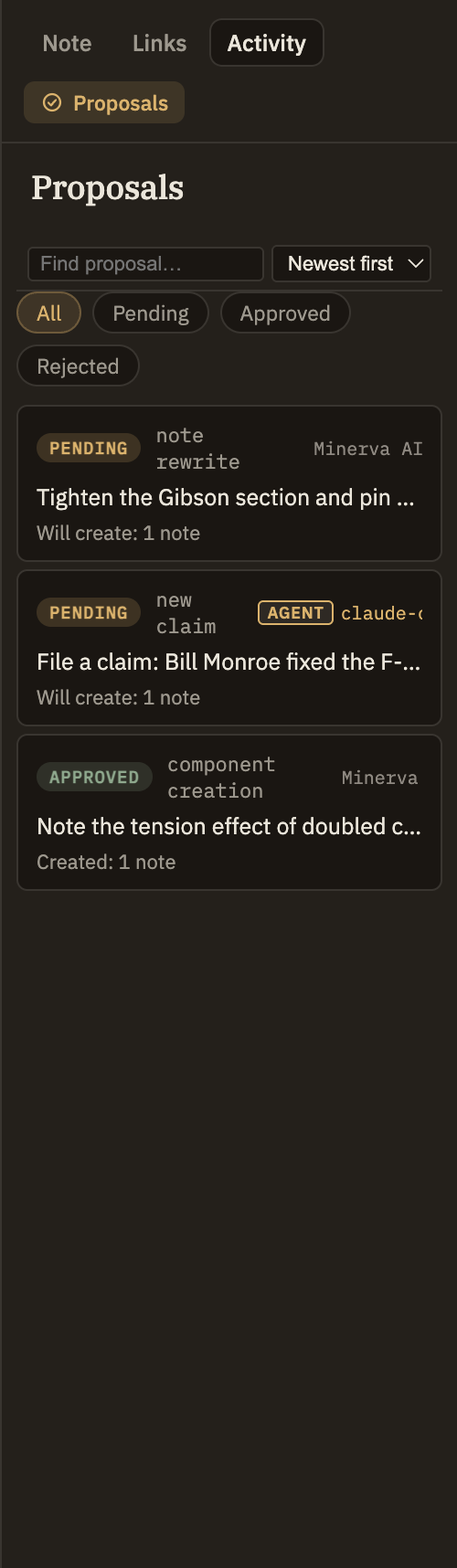
Every AI change lands here
There's no side door: every change the AI makes to your knowledge base passes through this panel, so it's a complete record of what the AI has touched. The only difference is which tab a proposal lands under.
Either way, the change is here and you can inspect it. Nothing the AI does to your notes skips this panel.