Docs/Right sidebar/Backlinks
Backlinks
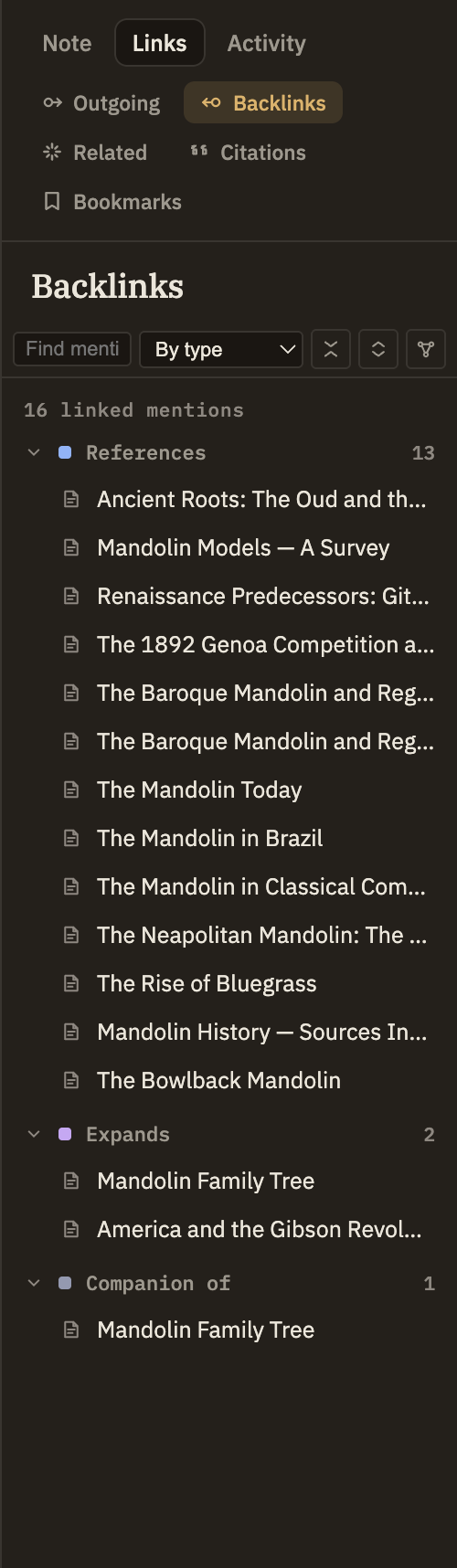
The Backlinks panel shows every note that links to the one you're reading. It's the reverse of the note's own outgoing links: instead of where this note points, it tells you what points here. The list keeps itself up to date, so when you link to this note from somewhere else, it appears here automatically.
Reading the panel
Each row is a note that links to the one you're viewing, shown by its title. A line at the top gives a running total. If a note links here more than once, each link is its own row, so the count reflects mentions rather than distinct notes.
When nothing links here
If no note links to the one you're viewing, the panel says "No backlinks found." That's normal for a brand-new note or one you simply haven't linked to yet. If backlinks do exist but your search doesn't match any of them, it says "No matches" instead, so you can tell whether the panel is empty because nothing links here or because your search is too narrow.