Docs/Export/Scopes & privacy

Scopes & privacy

Whenever you export, two things get settled first: how much of your work to include, and what to hold back even if it would otherwise be swept in. Every export shows you a preview so you can see exactly what you'll get before you commit.

How much to export

Every export lets you choose how wide to cast the net:

Single note
Just the note you're looking at.
Folder
A folder and everything inside it.
Everything
Your whole knowledge base.
Linked notes
Start from one note and follow its links outward, gathering everything it connects to. This stops after a few steps so you capture the surrounding context without pulling in your entire base.
A source
A single piece of reading you've brought in, for exporting an annotated copy of it.

Keeping private notes out

Your knowledge base holds personal thinking, half-formed ideas, and reading notes you never meant to share. So exports leave private notes out by default unless you choose otherwise. A note is treated as private if any of these are true:

It lives in a private folder
Anything kept in a folder named "private."
It's marked private
You've set the note's properties to private.
It's tagged private
The note carries a #private tag.

Nothing is dropped silently — each left-out note comes with a plain reason so you can see why it was held back.

Reviewing before you export

The preview shows two lists: what's included and what's left out, each with its reason. You can adjust either one, just for this export:
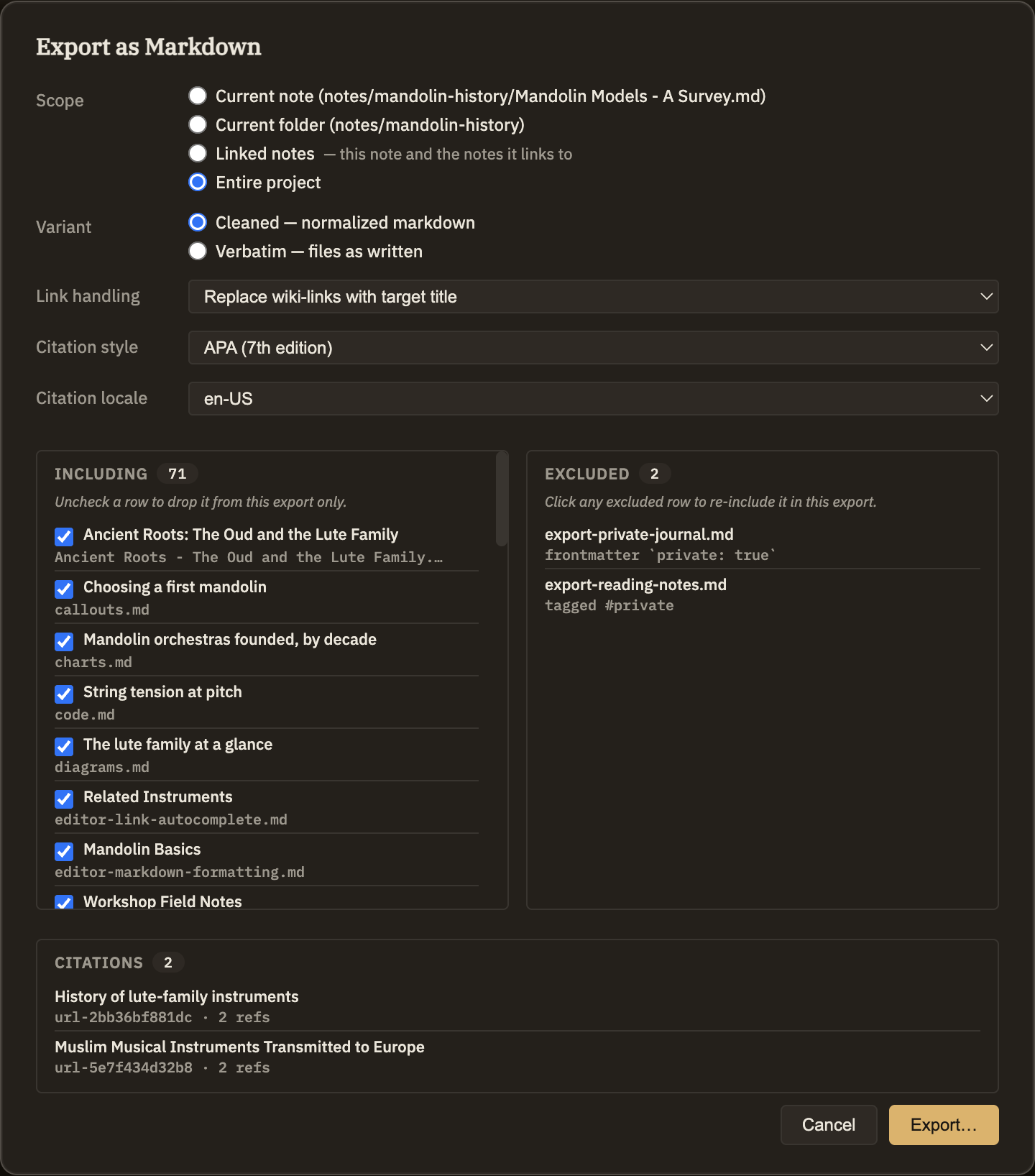
Add something back in
Click a left-out note to include it this time. The note itself stays private for future exports.
Take something out
Uncheck an included note to leave it out of this export.
A side-by-side view: on one side the notes that will be included, each with a checkbox; on the other, the notes being left out, each with a short reason like "in a private folder" or "tagged private," ready to be added back with a click.
Screenshot — the export preview