Publishing
Turn your notes into a website other people can browse — and, when you're ready, put that website online.
Make a website
Minerva can turn your whole collection of notes into a self-contained website, complete with a sidebar, a search box, and a page for each note. Anyone you share it with can read and search it in a browser.
If you want a particular note to look a certain way when it's shared, you can set a few extra properties at the top of that note:
Put it online
Making a website leaves the files on your computer. When you want it live for others to visit, Publish to Web sends it to a destination you set up once. After that, republishing is a single action whenever you've made changes and want the live version to catch up.
There are two kinds of destination. Pick whichever you already have, or whichever sounds less like work:
Add one from the Publish window: give it a name, choose which kind, and fill in the handful of details below. You can keep several destinations — a public site and a private draft copy, say — and publish to whichever you mean today.
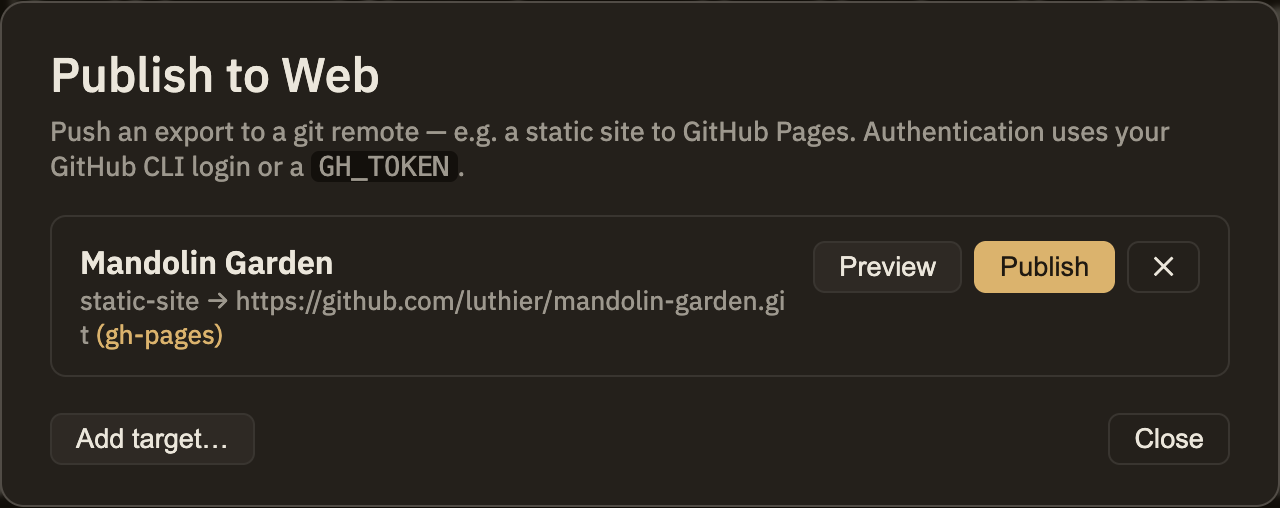
Publishing to GitHub Pages
Give Minerva the repository's address and the branch to publish to (gh-pages is the usual choice, and the default). Then either sign in with the GitHub command-line tool, or paste a personal access token into the destination — the token is stored encrypted on your machine and never leaves it except to talk to GitHub. Test connection checks it before you rely on it.
Two things Minerva handles so you don't have to visit GitHub's settings:
A few things GitHub decides, not Minerva:
docs folder — nowhere else. If you've set your destination to publish into some other subdirectory, the files still get pushed; you'd just point Pages at them yourself.Publishing to S3 or compatible storage
Give Minerva the bucket name and the credentials to write to it. The secret key is stored encrypted, the same as the GitHub token, and Test connection confirms the bucket is reachable before you publish into it.
Minerva uploads the site; serving it is the bucket's job. Whichever provider you're using, its own docs will tell you how to switch on website hosting — or you can put a CDN in front of it and use your own domain.
Try it before it's live
Every destination offers Preview: Minerva does everything except the last step — the push, or the upload — and shows you exactly which pages would be added, changed, or removed. It's the quickest way to confirm you're publishing what you think you are, particularly the first time or after a big reorganization.
Everything else in this section stays on your own machine until you decide otherwise. Publishing to the web is the exception — when you run it for real, your site goes live. It's worth a quick glance to confirm you've picked the right destination before you do.