Docs/Navigation/Wiki-links
Wiki-links
A wiki-link, written as [[Note Name]], connects one note to another. Wherever a link appears, you can click it to jump straight to the note it points to. This page is about moving around by following links; for how to write them, see Links.
Following a link
Clicking a wiki-link takes you to the note it names. This works the same whether you're reading a note or writing one.
While reading
Click a link to follow it — no modifier key needed.
While writing
A plain click still follows the link. To place your cursor inside the link and edit it instead, hold ⌘ (or Ctrl) as you click.
A link that leads nowhere
If a link names a note that doesn't exist, clicking it simply does nothing — no note is created and no error appears.
Peek before you jump
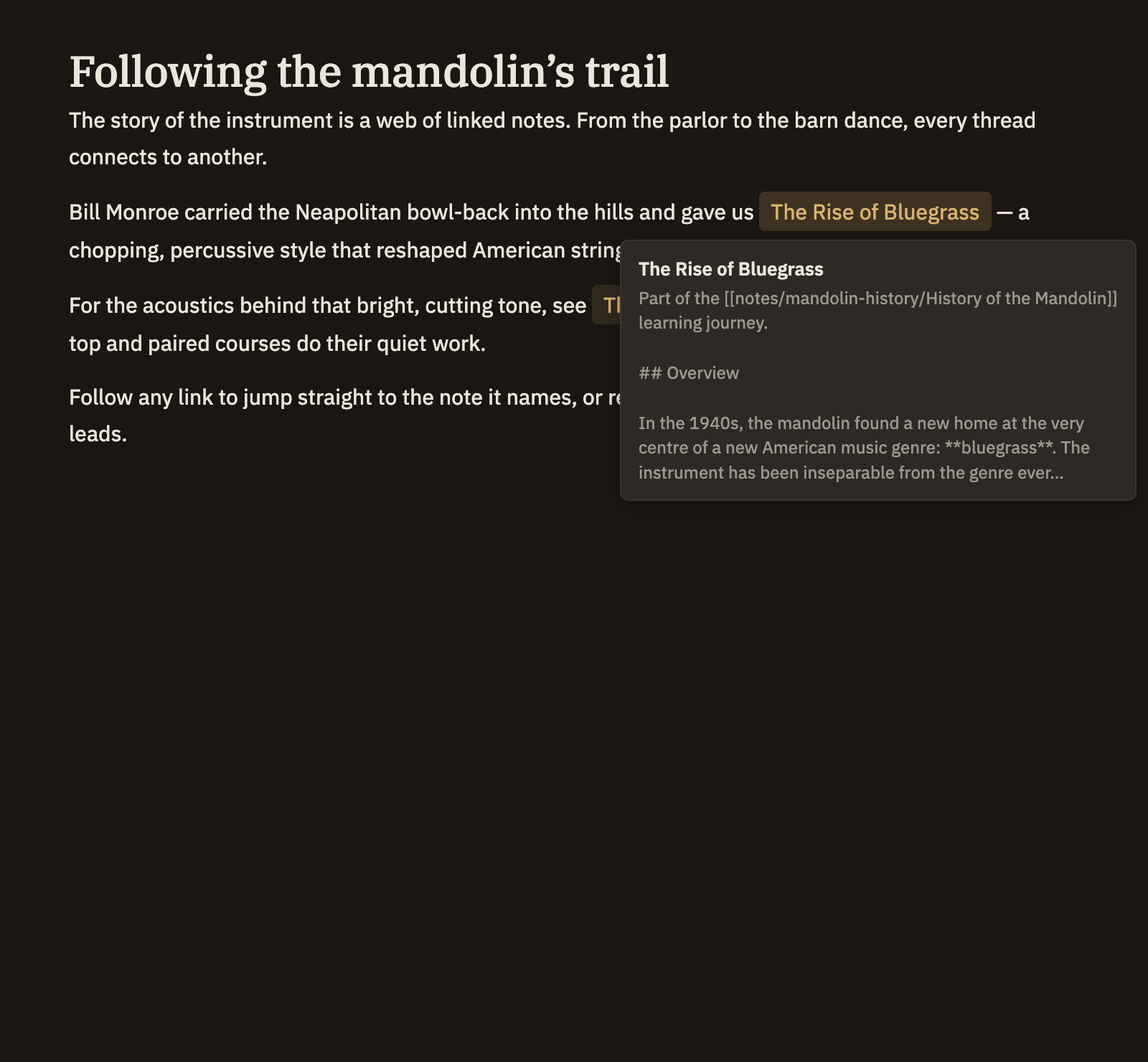
Rest your pointer on a link, without clicking, and a small popover shows the title of the note it points to along with a few lines from its opening. It's just a peek — move away and it disappears, and nothing changes. If the link leads to a note that doesn't exist, the popover says so quietly instead of showing an excerpt.